- Softonic Rating:
- Good:7/10
- License:
- Free
- Added:
- March 25, 2008
- Updated:
- June 3, 2008
- Publisher:
- Website
- File size:
- 1.2 MB
- Downloads:
- 84
- DownloadFree
“Easy mind mapping for Mac”
by Cyril Roger
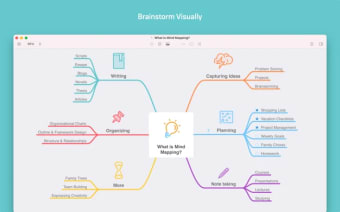
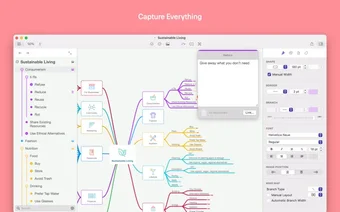
Mind mapping is a great way of graphically organizing your ideas, and works well on big projects or to present connections between ideas. It is mostly used in brainstorming sessions for one.
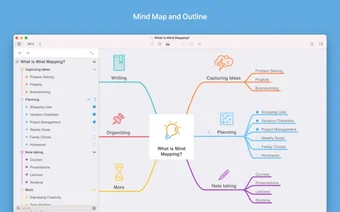
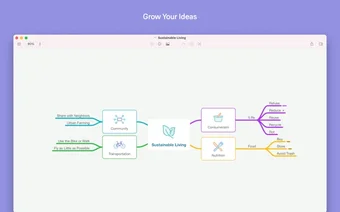
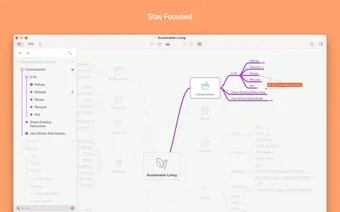
MindNode is a simple and free mind mapping tool, for people not looking for anything to elaborate yet wanting to get initiated to the graphical idea organizing tool. You can create large mind maps and use different colors for each different idea and connection and choose between different types of brush strokes, a good way of differentiating the connection types in your graph. Although it will never feel as natural as actually drawing on board, it is easy enough that anyone can create advanced mind maps in seconds.
MinNode is not highly advanced though, so don't expect lots of shapes, tones or layer possibilities. On the other hand, it does offer keyboard support, which, if you take the time to learn it, will allow you to sketch up your mind map even faster.
To share your brainstorm session, MindNode lets you print the document or export it in any way of a number of formats.
Although not highly advanced, MinNode is a good program to get to grips with mind mapping and connect your ideas easily.
Languages:
English
OS requirements for MindNode:
- OS: Mac OS X
Minimum requirements:
- Mac OS X 10.4 or later
- Mind mapping made easy
- Not highly advanced
From the publisher of MindNode
MindNode is a free and very easy to use mindmapping application. It was created with the user in mind and features a very simple interface for quickly creating visual appealing mind maps.
Visual Appealing Mind Maps
There is no need to spend hours playing with the visual attributes to create an appealing mindmap. The default values are suitable for most uses.
Full Keyboard Support
Although MindNode really shows it’s strength when used with a mouse, nearly all interactions can be performed very easily with the keyboard.
Build for Leopard
MindNode makes use of Quicklook, Spotlight and iChat Theater.
No lock in
You can print, share and export your mind map as tiff, pdf, html or opml.
Expanding Canvas
The mind map is not restricted to the size of a page. The canvas resizes automatically in the background to fit the mind map.
More MindNode screenshots
Sponsored Links
Programs similar to MindNode
MindNode options
Reviews for MindNode in other languages
- MindNode (Testbericht auf Deutsch)
Your opinion is important!